Liene PixCut vs. Cricut StickerPix: Which Sticker Machine Is Best?

Which sticker machine is worth the money and craft-room space? See how the Liene PixCut and Cricut StickerPix machines compare!

Cricut just released two new sticker printers. One that cuts precut designs and the other that cuts custom sizes. I personally would prefer the custom size option which makes me think the smaller precut shape machine will be short lived.

I watched a review on the Cricut sticker machines by Jennifer Maker and her review was quite detailed. She is also offering a giveaway of each machine that you might want to check out.

This image has an empty alt attribute; its file name is Screenshot-2026-09-24-at-3.26.34-PM.png

StickerPix Print

release date: September 2026

Prints precut designs on a 4×6″ sticker sheet.

stickerpix print

StickerPix Print + Cut

release date: September 2026

Prints and cuts sticker sheets in custom sizes.

These new machines seem to be comparable to the Liene PixCut. Even the name is similar.

liene sticker machine

The Liene cut machine began on Kickstarter on September 26, 2024. It is available on Amazon.

Comparison:

FeatureLiene PixCut S1Cricut StickerPix Print + CutCricut StickerPix Print
Current starting price$279.99$299$169
Prints stickersYesYesYes
Cuts around custom designsYesYesNo
Sticker typeCustom kiss-cutCustom kiss-cutPre-cut circles, squares, rectangles or full sheet
Printing methodDye-sublimationDye-sublimationDye-sublimation
Protective laminateApplied automaticallyApplied automaticallyApplied automatically
Resolution300 DPI300 DPI300 DPI
Sticker-sheet size4 × 7 inches4 × 7 inches4 × 6 inches
Photo size4 × 6 inches4 × 6 inches4 × 6 inches
Prints per cartridge363654
SoftwareLiene Photo appCricut Design SpaceCricut Design Space
ConnectivityBluetooth 5.0Bluetooth2.4 GHz Wi-Fi
Computer useLiene’s information is inconsistent; its technical page lists iOS/AndroidMac, Windows, iOS and AndroidMac, Windows, iOS and Android
Size and weight11.1 × 7.7 × 4.1 inches; 6.4 lb11.3 × 8 × 4.1 inches; 6.6 lb7.8 × 5 × 3.5 inches; 2.3 lb
Best forIndependent app and slightly lower priceCricut users wanting custom stickersSimple labels, photos and preset sticker shapes

The two custom-cut machines are nearly identical on paper: both print at 300 DPI, automatically apply a protective coating, use 4 × 7-inch proprietary sticker sheets, produce 36 prints per cartridge and kiss-cut around designs. Neither cuts completely through the sticker backing. 

Approximate supply cost

  • Liene custom sticker sheets: $42.99 for 72 sheets and two cartridges — about 60¢ per sheet.
  • Cricut Print + Cut sticker sheets: $47.99 for 72 sheets and two cartridges — about 67¢ per sheet.
  • Cricut StickerPix Print refills: $32.99 for 54 prints — about 61¢ per sheet, but you’re limited to the pre-cut shapes

My Thoughts:

If I were buying a dedicated sticker machine, I would choose the Cricut StickerPix Print + Cut because I’m already familiar with Cricut Design Space. However, I would need to consider how often I actually make stickers—and whether the convenience justifies the price and the space it would occupy in my craft room. I can already make stickers with my Cricut Maker, which also gives me the flexibility to create both kiss-cut and die-cut stickers. What do you think? Would the StickerPix Print + Cut be worth adding to your craft space? Let me know in the comments below!

Sticker Paper and Sticker Printable

My favorite sticker paper and a free printable.

sticker package and stickers

I have a new favorite sticker paper brand! I was recently sent a package of A-Sub Vinyl Sticker Paper to test, and I couldn’t wait to put it through its paces.


I printed out my design using my HP printer, and the colors came out vibrant and crisp with beautiful saturation. The vinyl has a smooth finish and feels durable without being overly thick. It fed through my printer easily with no curling or smudging.


After printing, I ran the sheets through my cutting machine, and while I could see that the cuts were clean and precise, I ended up fussy cutting the designs because the detail of the design edges were more detailed then I desired to cut. The backing peeled away smoothly, and once applied, the stickers adhered nicely without bubbling.


If you love making print-then-cut stickers for planners, journals, packaging, or small business branding, this vinyl sticker paper is definitely worth trying. I’ll be reaching for this again!

free sticker page

This is the set of free sentiments I printed. If you would like the file, you can grab it here: [sticker]

Video Review:

sticker package

A-Sub Vinyl Sticker Paper is available in 25 and 55 sheet packages.
They are available on Amazon here: [Sticker Paper]

10 Christmas Gifts Every Crafter Will Love

Every crafter knows — the right tool makes all the difference! Whether you’re giving one big gift or building a creative gift basket, these tools are sure to spark joy this Christmas season.

A Craft Tool Gift Guide from Try it – Like it – Create it

header image of craft gifts

If you’re shopping for the maker, DIYer, or paper-craft enthusiast in your life, these tool-themed Christmas gifts are sure to inspire their creativity well into the new year! Whether you’re buying for a beginner or a seasoned pro, these picks combine functionality with fun.

Titles are linked to Amazon.


1. Cricut EasyPress Mini

Perfect for small-scale projects like tags, mugs, and fabric crafts. Its compact design makes it ideal for anyone who loves their Cricut machine or enjoys heat-transfer projects.


2. We R Memory Keepers Crop-A-Dile

A classic tool that punches holes and sets eyelets through chipboard, leather, plastic, and more. It’s durable, easy to use, and comes in beautiful colors — a staple for paper crafters.


3. Tim Holtz Glass Media Mat

This glass workspace gives any crafter a professional surface for blending inks, stamping, and mixed-media art. It’s easy to clean, with a handy built-in grid for measuring and aligning. (there is also a smaller travel size available)


4. Brother P-Touch Embellish Ribbon & Tape Printer

Add a personalized touch to gifts, labels, and crafts. It prints on ribbons and tapes — perfect for organizing supplies or decorating handmade items.


5. Fiskars Precision Craft Knife Set

An ergonomic precision knife with interchangeable blades for cutting stencils, vinyl, or detailed paper shapes. Every crafter needs a sharp, reliable knife on their worktable.


6. Sizzix Big Shot Die-Cutting & Embossing Machine

The Big Shot remains a crafting favorite for cutting intricate shapes and embossing textures. It’s a must-have for scrapbookers, card makers, and mixed-media artists.


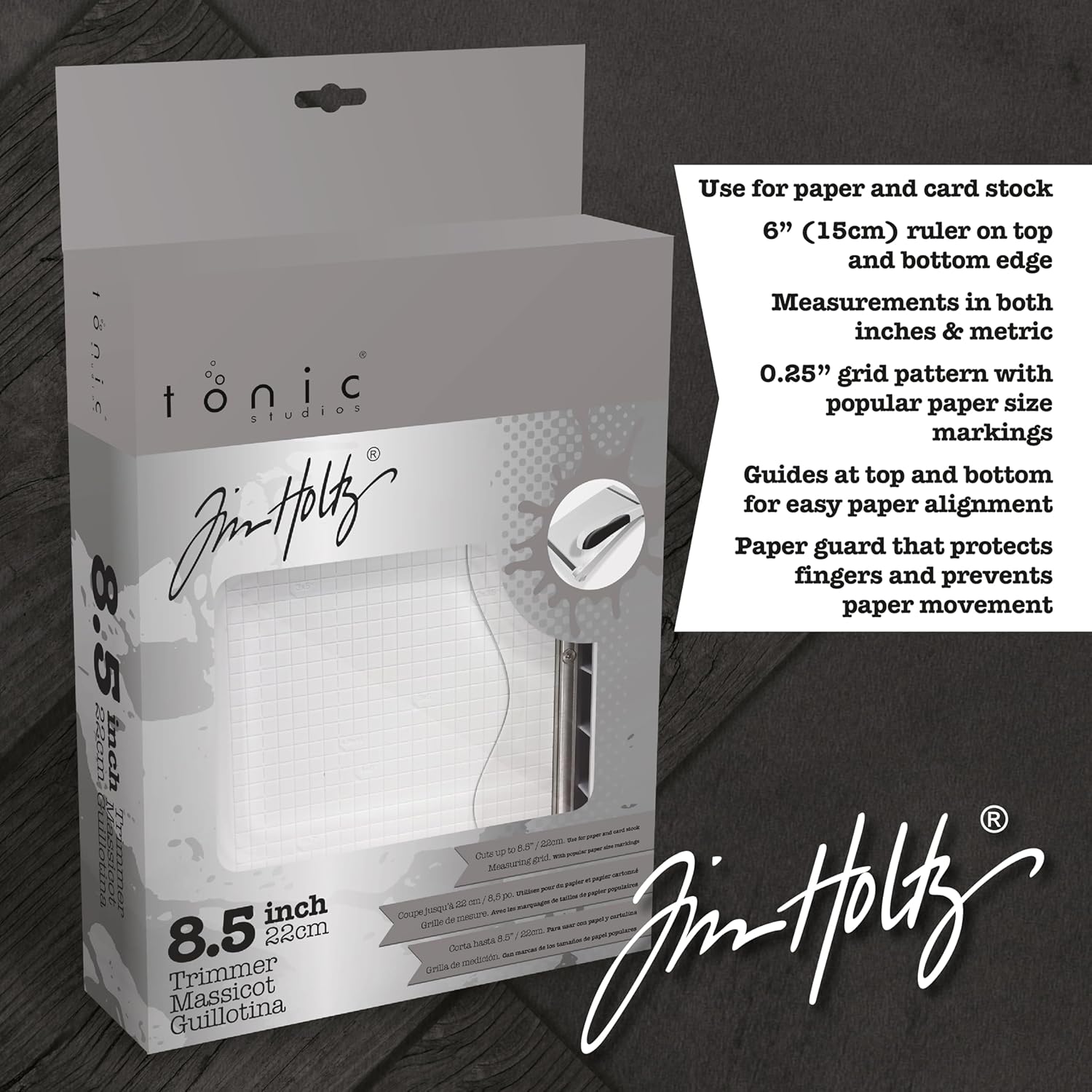
7. Tonic Studios Guillotine Paper Trimmer

For crisp, clean, professional cuts every time — this trimmer handles card fronts, scrapbook paper, and even chipboard with ease. (there are three different sizes available)


8. Ranger Heat It Craft Tool

A quiet, compact heat tool for embossing powders, drying ink, or melting wax. It’s a small but powerful tool that adds polish to finished projects.


9. Dress My Craft Mini Scoring Board

Small but mighty! This portable board makes it easy to create envelopes, boxes, and fold lines — perfect for paper crafting on the go.


10. Dremel Stylo+ Craft Rotary Tool

This pen-style rotary tool is great for engraving, sanding, polishing, or etching on glass, wood, and metal. It’s an all-around creative powerhouse!

Bonus Ideas

  • Tool cleaning brushes for die-cutting and stamps
  • Silicone mats for glue, resin, or paint
  • Magnetic tool holders for tidy workspaces
  • Glassboard, CraftCatcher, or MagInk Tray from Glassboard Studios!

Desktop Cutting Machines Comparison

What desktop cutting machine is best for you? Check out this comparison between Cricut, ScanNCut, and Silhouette,

logos
FeatureSilhouetteBrother ScanNCutCricut
Flagship ModelsCameo Pro MK IIScanNCut DX SeriesCricut Maker 4 / Explore 4
Portable ModelsPortrait 3 / 4N/A (all full size)Cricut Joy / Joy Xtra
Unique FeatureStrong cutting force (up to 5kg) + wide format optionsBuilt-in scanner (300 DPI) for custom shapesSmart Materials (matless cutting for long rolls)
Cutting WidthUp to 24″ (Cameo Pro)12″ standard13″ (Maker 3 / Explore 3), 5.5″ (Joy)
Cutting ForceHigh (up to 5kg with special tools)Moderate, optimized for fabric/paperMedium (4kg for Maker, less for Joy/Explore)
SoftwareSilhouette Studio (desktop software, upgrade tiers)CanvasWorkspace (cloud + desktop)Design Space (cloud-based)
Best ForAdvanced crafters, large projects, wide materialsQuilters, fabric appliqué, users who want scanningBeginners, casual crafters, vinyl/HTV
Learning CurveMedium–High (flexible, more advanced tools)Medium (scan + cut workflow)Low (user-friendly, guided software)
MaterialsPaper, cardstock, vinyl, HTV, fabric, chipboard, craft foamPaper, fabric, felt, applique, vinylPaper, vinyl, HTV, leather, chipboard, wood (Maker)
Price Range (USD)$500+ (cameo pro MK II)$300+$400 (Maker 4)

Summary:

  • Silhouette → Best for crafters who want design flexibility, large format cutting, and powerful tools.
  • Brother ScanNCut → Best for sewists, quilters, and applique lovers thanks to the built-in scanner.
  • Cricut → Best for beginners and everyday crafters with easy-to-use software and strong community support.

History of Machines:

If you’d like to explore the history and progression of technology for each company, you can view them here: Cricut, Silhouette, and Brother ScanNCut.

The Progress of the ScanNCut Machines

See how the ScanNCut machine has evolved over time.

Brother markets the ScanNCut DX line as their flagship, appealing to both paper crafters and sewists/quilters. Its big difference remains the built-in scanner and auto blade system, making it stand out against Cricut and Silhouette. The DX series features an auto blade for easier cutting of various materials, a larger color screen, and better internal hardware compared to the manual-blade CM models. When choosing a model, consider the amount of built-in designs you need, whether you require fabric-specific functions, and your budget, as the core scanning and cutting technology remains consistent across all ScanNCut machines. 

Early Models

Brother CM100DM
  • 2013 – ScanNCut CM100/CM250 (Discontinued)
    • First cutting machines with a built-in 300 DPI scanner.
    • Allowed users to scan images, hand drawings, or patterns and cut them directly.
    • 12″ × 12″ cutting mat, great for paper crafters and quilters.

CM Series Expansion

CM550
  • 2014–2015 – CM550, CM600, CM650W (Discontinued)
    • Larger LCD touchscreen for editing designs.
    • Wireless (Wi-Fi) capability added in CM650W for easier file transfer.
    • More built-in designs and fonts.
  • 2016 – CM900 (Discontinued)
    • Improved scanning resolution.
    • Enhanced precision with more built-in patterns.
    • Stronger cutting force for fabric and felt.

DX Series (Major Upgrade)

SDX125
  • 2018 – ScanNCut DX (SDX125, SDX225, etc.) (Discontinued)
    • Introduced Auto Blade technology (automatically detects material thickness).
    • Quieter and faster cutting.
    • Larger 5″ LCD touchscreen.
    • Seamless integration with CanvasWorkspace software.
  • 2019–2020 – SDX85, SDX125E, SDX225F, etc.
    • More entry-level and fabric-focused models.
    • Quilting-friendly features: large seam allowance settings, fabric mat options.
    • Expanded built-in designs.

Recent Releases

SDX230D / Disney model
  • 2021 – ScanNCut DX Innov-is Edition (SDX230D / Disney model)
    • Included licensed Disney patterns.
    • Enhanced scanning accuracy.
    • Marketed toward fabric appliqué and embroidery users.
SDX85S
  • 2022–2023 – Latest DX Updates (SDX85S, SDX330D, etc.)
    • More Disney and licensed patterns.
    • Expanded memory for built-in designs.
    • Continued refinements in auto blade cutting and matless cutting for vinyl/heat transfer.

While some machines have been discontinued, they can often still be found through online retailers or secondary markets.

History of Silhouette Machines

See the history of the Silhouette crafting machines.

Today, Silhouette continues to design and innovate desktop cutting machines, competing directly with Cricut and Brother ScanNCut. Their Cameo series remains the flagship line, offering powerful, full-size machines, while the Portrait series provides a compact and portable option for crafters on the go. Over the years, Silhouette has released a variety of models, each building on the last with new features and capabilities. Here’s a look back at the history of Silhouette machines and how the brand has evolved.

Early Beginnings

  • early 2000s – Graphtec Craft ROBO (no longer available)
    • Before founding Silhouette America, the company operated under the Graphtec name
  • 2009 – Original QuicKutz Silhouette (no longer available)
    • This is one of the oldest models
silhouette sd
  • 2008 – 2010 Silhouette SD (no longer available)
    • One of the earliest consumer desktop cutting machines.
    • Connected to a computer and cut from a small selection of materials, mainly paper and cardstock

Curio

The Curio 2  is an invaluable machine for special projects as it can engrave, emboss, heat foil, draw, and more with a vertical clearance of 20mm. This is in addition to the precision cutting available on the 12 x 12-inch electrostatic bed.

curio
  • 2015 – Curio (no longer available)
    • Designed for specialty projects like embossing, stippling, etching, and thicker materials.

Mint

The Mint makes custom stamps to add personal touches to your projects. 
Specialty Machines: Silhouette also offers additional machines, like the Alta 3D printer, for specific applications to help every crafter find the best tool for their needs.

mint
  • 2015 – Mint
    • Not a cutter, but a custom stamp maker. Allowed users to design and “print” stamps.

Cameo Series (Flagship Line)

The Cameo is the perfect tool for any creator with its versatility in cutting a wide range of media types, large or small. Fast, accurate, and reliable–this machine suits beginners and hobbyists to the creative professional. Plus and Pro models cut even larger than the standard 12-inch width.

cameo
  • 2011 – Silhouette Cameo (Original) (no longer available)
    • First 12-inch cutting width machine, a major step up from the smaller SD.
    • USB connection and mat-fed cutting made it popular among scrapbookers.
  • 2014 – Cameo 2 (no longer available)
    • Touchscreen interface.
    • Slight hardware updates, improved user experience.
  • 2015 – Cameo 3 (no longer available)
    • Dual-carriage system for cutting and drawing/embossing in one pass.
    • Bluetooth capability added.
  • 2019 – Cameo 4 (no longer available)
    • Stronger cutting force (5 kg).
    • New tools for rotary cutting (fabric) and kraft blade (thicker materials).
    • Faster cutting speeds.
cameo 4
  • 2021–2022 – Cameo 4 Plus (15″) and Cameo 4 Pro (24″) (no longer available)
    • Expanded cutting widths for larger projects.
cameo 5
  • 2023 – Cameo 5
    • A newer version called the Silhouette CAMEO5α and CAMEO5α PLUS was announced
    • improved tracking for long cuts.
    • Enhanced tool carriage for even more specialty tools.
    • Focus on matless cutting, precision, and speed.
Silhouette CAMEO PRO MK-II
  • 2024 – Silhouette CAMEO PRO MK-II
    • The Silhouette CAMEO PRO MK-II features enhancements such as a second powered carriage, a quieter operating model, and an emergency stop function that improve its functionality and ease of use.

Portrait Series (Compact Line)

The Portrait is so portable and compact that it is perfect for smaller projects or for a crafter working in a limited area. It offers all the same craftsmanship and precision as a larger machine and is an outstanding starter Silhouette cutter. 

  • 2012 – Portrait 1 (no longer available)
    • Smaller 8-inch cutting width for portability and lower cost.
  • 2017 – Portrait 2 (no longer available)
    • Bluetooth connectivity.
    • Compatible with auto-blade technology.
portrait 3
  • 2020 – Portrait 3 (no longer available)
    • More compact, matless cutting with certain materials.
    • Fast, precise, and very beginner-friendly.
portrait 4
  • 2023 – Portrait 4
    • Latest compact model with higher cutting force and matless options.

Heat Press

cloche
  • 2025 – cloChe
    • Customize fabric, apparel, accessories, and décor in minutes using the lightweight, versatile cloChé and cloChé Petite heat press system.

3D Printer

  • 2018 – Alta (no longer available)
    • The Silhouette Alta is a user-friendly, delta-style 3D printer designed to build 3D objects from PLA filament using its proprietary Silhouette 3D software and compatible with third-party STL and OBJ files

Watercolor Cards

You can paint these lovely Watercolor Cards illustrated by Kristy Rice.

by Kristy Rice

box cover

I just received this beautiful box of Watercolor Cards by Kristy Rice!
I can’t wait to start painting them—the images are so lovely, they’re truly frame-worthy. This set is part of the Schiffer Publishing Artisan Series, and it’s an inspiring mix of creativity and elegance.

card samples

This watercolor card set by Kristy Rice is both beautiful and thoughtfully designed.
Each card is printed on quality watercolor paper and features the same elegant image on the front and as a border on the back, giving you the option to paint both sides. The reverse side also includes an open space for a personal note, poem, or special message. These postcard-style cards are perfect for sending or framing once painted—a truly creative and meaningful way to share art!

Video Unboxing:

The set of twelve flat cards and envelopes can be found on Amazon. [here]

I wanted to say a special thank you to Schiffer Publishing for send this special box of card my way.

When are Michael’s Sales?

How to save money at Michaels.

Want to Save at Michael’s? This Printable PDF Has You Covered!

Michael’s runs sales on a regular basis, but knowing when they happen can make all the difference. From seasonal clearances to doorbuster events, timing your shopping trip can help you score the best deals on craft supplies and home décor. This handy printable PDF infographic breaks down what typically goes on sale each month—so you’ll always be ready to shop smart and save big.

Grab the PDF version here: [Michael’s Sales]

What about those Grab Bags and Boxes?

Common Times for Michael’s Grab Boxes:

  • Early January – Post-Christmas and holiday clearance
  • Mid-to-late April – After Easter
  • Late July or Early August – After spring/summer and 4th of July items
  • Late September or Early October – After back-to-school or early fall inventory
  • Early November – Post-Halloween
  • Late December – After Christmas (sometimes right before New Year’s)

Tips to Score One:

  • Call ahead to your local store and ask if they have Grab Boxes available.
  • Shop early in the day, as they sell out quickly.
  • They’re usually located at the front of the store, clearly marked (often $5 or $10).

Another Way to Save Even More:
Download the Michael’s app, sign up for their email list, and don’t forget to check their available coupons before you shop! You can often find percent-off deals, dollar-off coupons, and special promo codes.
Find the latest coupons here: [Michael’s coupons]

Color Theory Book Review

A valuable color theory addition to your creative library.

cover of book

Having taught color theory and color design for years, I was especially intrigued by The Pocket Universal Principles of Color. Right now, color theory and the color wheel are hot topics in both art and crafting communities. While many are familiar with popular color-themed products and materials, it’s important to remember that all of that creativity is rooted in the foundational principles of color theory—and this book does an excellent job of outlining them.

It covers 100 key concepts in a compact, approachable format, making it a great resource for both beginners and experienced creatives looking to refresh or deepen their understanding of color.

inside book page

Each principle is presented in alphabetical order, accompanied by a clear explanation and a visual example, making it quick and easy to find exactly the information you’re looking for.

You can find this book at Amazon: https://amzn.to/3IbCS0h

The Universal Principles of Color is also available in a hardcover edition, which appears very similar—written by the same authors and organized in the same alphabetical, concept-driven format. The Pocket version, released in 2025, is more compact, paperback, and easier to carry or keep on your craft table.

Either version would make a valuable addition to your creative library. With its clear explanations and wide range of topics, it goes well beyond the basics—offering more depth than many college-level color theory courses.

The hardbound book is also available at Amazon: https://amzn.to/4lEyNjy

Crochet the National Parks

Bring the beauty of the National Parks to your hooks with 20 inspired patterns from Crocheting the National Parks by Krista Ann!

book cover

The beauty of the National Parks comes to life through yarn in Crocheting the National Parks by Krista Ann. This inspiring collection features 20 patterns that capture the essence of the parks in accessories, home décor, plushies, and more. With step-by-step tutorials and thoughtful designs, it’s a must-have for nature lovers and crochet enthusiasts alike.

Krista

Krista Ann is a professional crocheter, knitter, and world traveler. Krista has professionally knit (and crocheted) pieces that have appeared in many major television shows and movies, including Hocus Pocus 2, The Mindy Project, Stranger Things, and Annabelle Comes Home. You can follow her adventures across the USA on Instagram @explorewithknitsy.

Crochet the National Parks is available on Amazon
Paperback 144 Pages
Size 8.50 in x 11.00 in
Published Date May 20th, 2025

Video Walk Through: